See what every euro did.
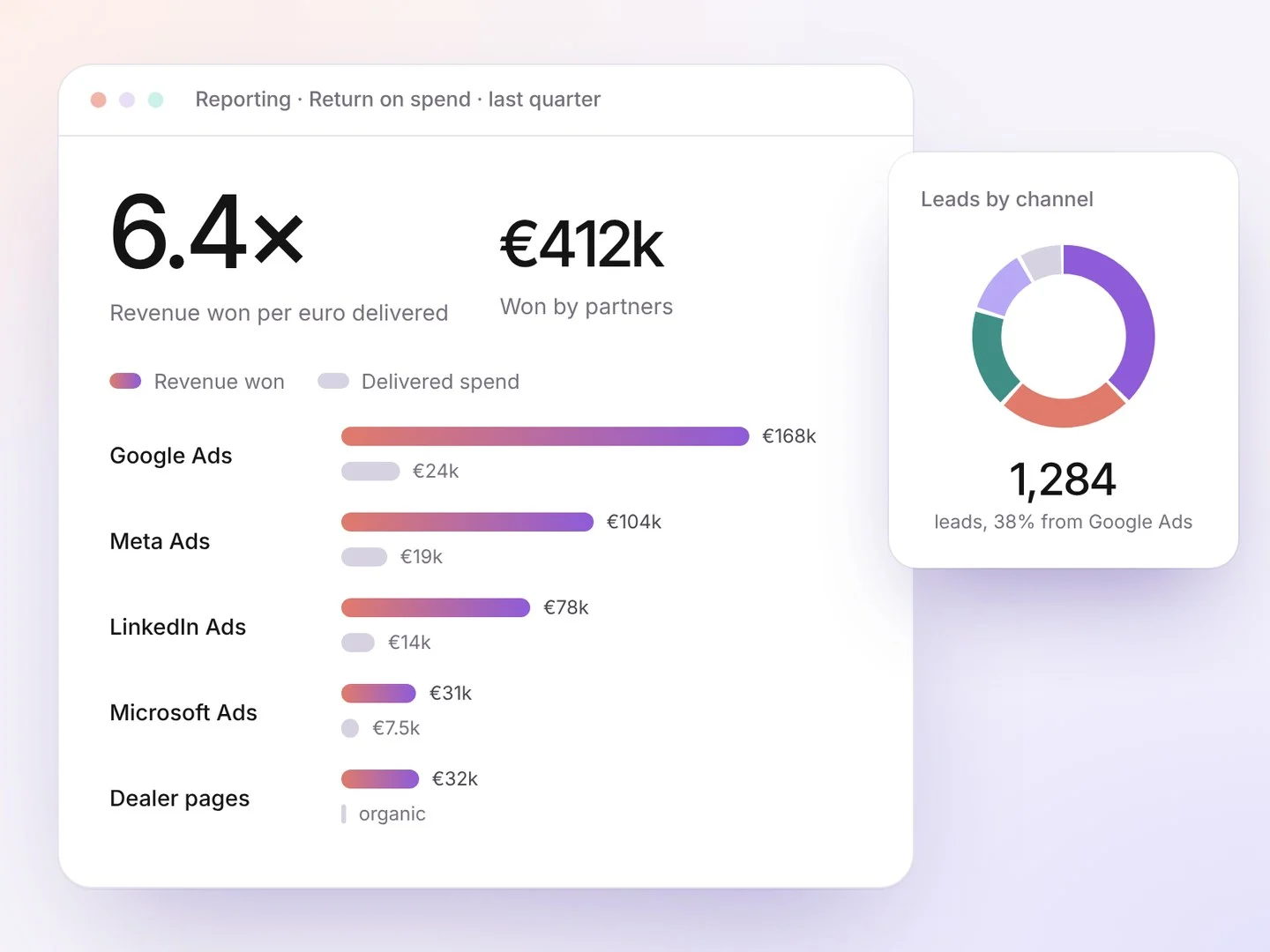
Revenue from won leads against the spend the ad platforms actually delivered, per partner, channel and country, with monthly decks in your own PowerPoint template.
Where we add value
✕The pain today: Reports full of clicks and impressions
✓The value we add: One formula: revenue won ÷ spend delivered
✕The pain today: ROI calculated on booked spend
✓The value we add: Spend from the platforms themselves
✕The pain today: Every team counts differently
✓The value we add: The same figures for everyone
✕The pain today: Monthly reports built by hand
✓The value we add: Monthly decks generated automatically
Where this module fits, from click to deal.
Every module plays its part in the same journey. This is where Reporting & ROI adds value.
-
1Click
Ads and posts drive traffic
Search, social, email and outreach, in the partner’s area
-
2Page
Lands on the partner’s page
PARTNER AMSTERDAM★ 4.8 · Partner AmsterdamContactCo-branded, with reviews, a form and booking
-
3Lead
Routed to the right partner
Demo request→ Partner AmsterdamAccepted in 38 minAlert by email and WhatsApp, with a deadline
-
4Follow-up
The partner follows up
Meeting bookedReminders and nurture until it closesIn progressNobody forgets a lead; you see every stage
-
This module 5Deal
Won, and counted
Won € 18,400Reported by Partner AmsterdamIn your ROI and pipelineRevenue against spend, per partner and channel
Example partner and figures
Three steps.
- 1
Collect
Spend from Google, Microsoft, Meta and LinkedIn; outcomes from partners.
- 2
Calculate
Return per partner, channel, campaign and country.
- 3
Report
Dashboards and decks in your own template.
- Return on spendRevenue won ÷ spend delivered
- MDF usageAllocated versus delivered
- Activation funnelReady, active, productive
- Lead figuresOne definition for all
- Your PowerPoint templateDecks in your design
- CSV exportsFor your own BI
Return on spend
Overall and per channelRevenue won
Per partnerMDF used
Per programmeActive partners
This quarter