Partner leads in your CRM,
outcomes back in the platform.
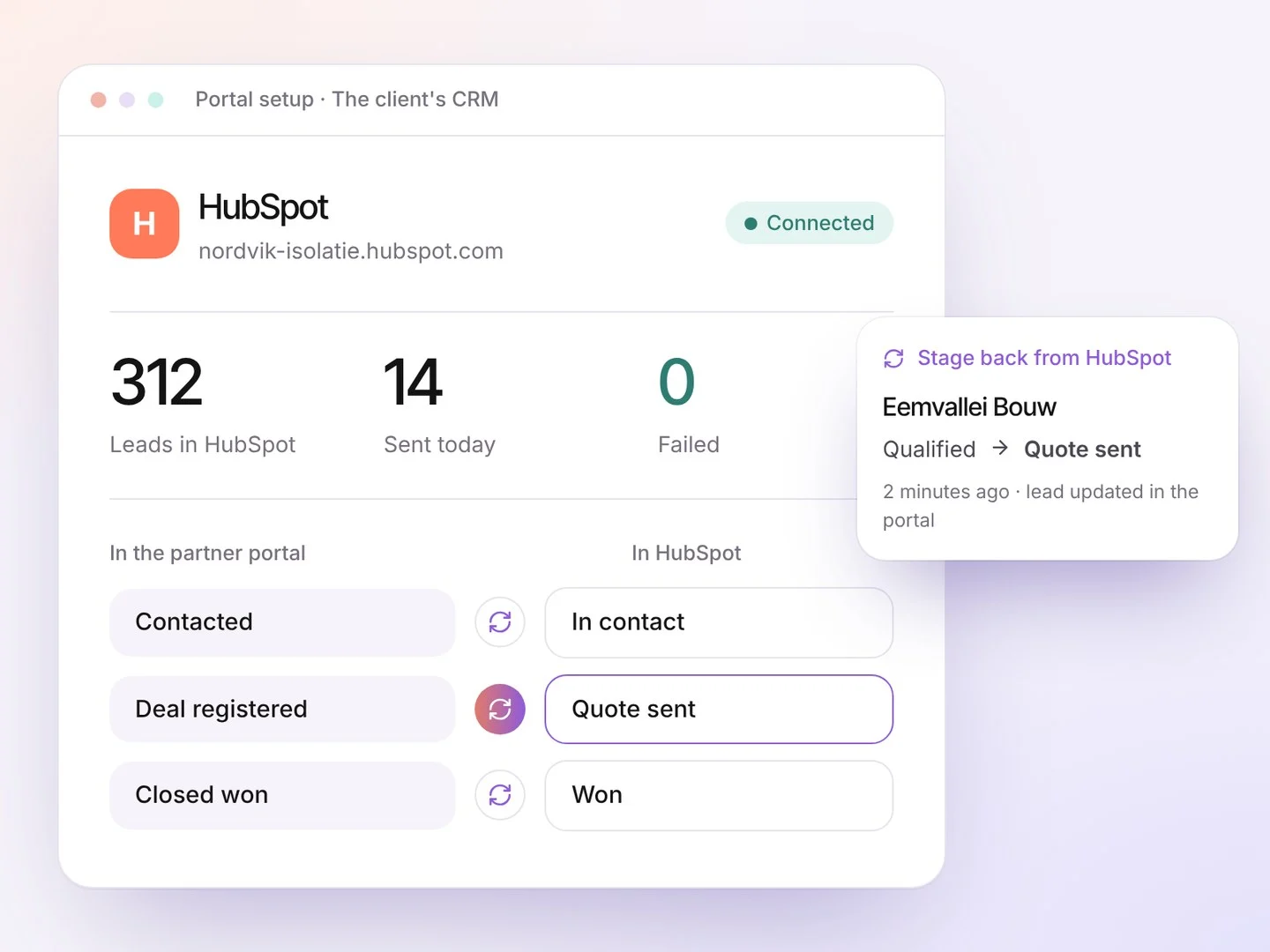
Every routed lead goes to your HubSpot, Salesforce or Dynamics 365 against the right partner, and the stage and outcome come back.
Where we add value
✕The pain today: Partner leads outside your CRM
✓The value we add: Leads pushed automatically
✕The pain today: Sales can’t see what partners do
✓The value we add: The stage read back
✕The pain today: Double entry and lost updates
✓The value we add: Your CRM keeps its own process
✕The pain today: No partner-sourced pipeline in reports
✓The value we add: Partner-sourced pipeline visible
Where this module fits, from click to deal.
Every module plays its part in the same journey. This is where CRM sync adds value.
-
1Click
Ads and posts drive traffic
Search, social, email and outreach, in the partner’s area
-
2Page
Lands on the partner’s page
PARTNER AMSTERDAM★ 4.8 · Partner AmsterdamContactCo-branded, with reviews, a form and booking
-
This module 3Lead
Routed to the right partner
Demo request→ Partner AmsterdamAccepted in 38 minAlert by email and WhatsApp, with a deadline
-
4Follow-up
The partner follows up
Meeting bookedReminders and nurture until it closesIn progressNobody forgets a lead; you see every stage
-
This module 5Deal
Won, and counted
Won € 18,400Reported by Partner AmsterdamIn your ROI and pipelineRevenue against spend, per partner and channel
Example partner and figures
Three steps.
- 1
Connect
We connect your CRM and map the stages with you.
- 2
Push
Every routed lead goes in, with partner and source.
- 3
Read back
Stage and outcome come back to the platform.
- HubSpotContacts and deals
- SalesforceLeads, server to server
- Dynamics 365Leads, with your app
- Any other CRMSigned webhook both ways
- Stage mappingPer pipeline
- Retry and logEvery call recorded
Leads synced
Per connectionStages read back
Per leadPartner-sourced pipeline
In your CRMErrors
Failed syncs